
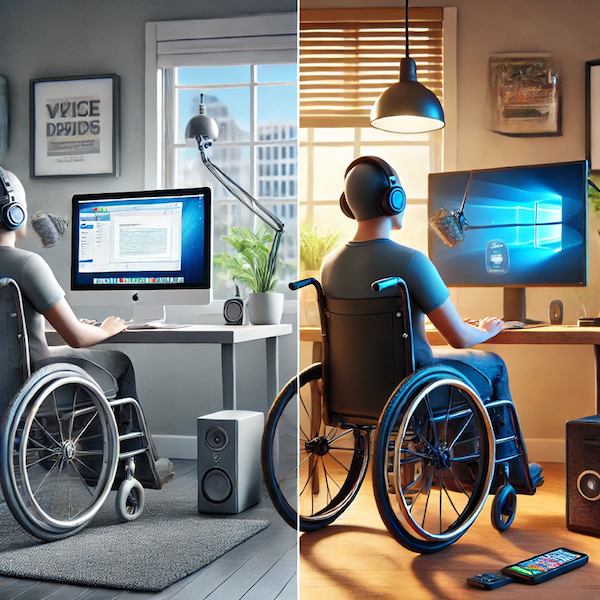
I’ve spent a lot of time adapting my tech setup to work with my disability, and after years of trial and error, I’ve landed on the Apple ecosystem. Not because I think it’s perfect, but because it just works—at least in two key areas that are essential for me:
1. Seamless Dictation – Apple’s built-in dictation feature is integrated system-wide. No extra software, no complicated setup—just press a hot key and start talking.
2. Integrated Text-to-Speech (TTS) – Highlight text, press a hot key, and the system reads it aloud. No fuss, no hunting down settings, no workarounds.
That said, my day job requires me to use both Windows and macOS, and I should be able to have the same accessibility functionality on both platforms. But I don’t—because Windows falls short.
Why This Matters: My Experience with Accessibility Tech
When I was in school, they gave me a computer with very early dictation software. It technically worked, but like everything back then, you had to train it. And let’s not forget—computers were huge at the time. I couldn’t exactly lug it around from class to class, so instead, I had someone sit with me in every class and write down what I dictated. That was fine for school, but once I graduated? I was on my own.
So I bought Dragon NaturallySpeaking and spent two and a half years training the hell out of it. And even then? You still had to talk to it like it was a five-year-old. One. Word. At. A. Time. Really. Really. Slow.
Then came the modern smartphone, and suddenly, dictation and text-to-speech were built right in. No training, no special software—it just worked. Apple baked these features directly into their operating systems and all cell phones. Hell, even Android does it.
So Windows—why the hell don’t you?
Text-to-Speech (TTS): Apple vs. Windows
For someone with dyslexia and eye-tracking issues, Apple’s instant text-to-speech is a lifesaver. I highlight text, press a hot key, and boom—it reads aloud. It’s simple, which is exactly how accessibility features should be.
Windows, on the other hand, has Narrator—and yes, I know it exists. But it’s a clunky, half-baked mess for what I need. Narrator reads everything on the screen, which might be helpful for some people, but not for me. Sometimes, I just need a single paragraph read aloud, not the entire UI.
In the 90s, there was a tiny application that sat in the system tray and read aloud whatever was copied to the clipboard. That’s exactly what I need, but guess what? It hasn’t been updated in 20 years and barely functions in Windows 11.
Dictation: Apple vs. Windows
Apple introduced built-in dictation around 2012, and when I first tried it in an Apple Store, I literally cried. I physically can’t type well because I only have full use of one hand, and suddenly, I didn’t have to. Unlike Dragon NaturallySpeaking, which required endless training and tweaking, Apple’s dictation just worked out of the box. Press a hot key, and dictation starts.
Windows does have dictation (Windows key + H), but it requires an internet connection, doesn’t work in all text fields, and feels like Microsoft just stopped halfway through developing it.
Before You Say “Just Use Third-Party Software”
I know some of you are thinking, “But there are third-party apps for this on Windows!” And yeah, there are—but they are kludgy as hell.
They require weird workarounds, constant tweaking, or are bloated with unnecessary features that slow things down. And let’s be real: It’s 2025.
We can build apps that let you book an Airbnb, track your heart rate, or even turn on your damn coffee maker remotely, but you’re telling me no one has built a simple, lightweight app that reads clipboard text out loud with a hot key?
Is the disabled community really that small that no one has thought of these things? I don’t think so. I think part of the problem is laziness, and part of it is people just don’t care.
Prove me wrong.
Developers, I’m Talking to You
If you’re a programmer, tell me: How hard would it be to write an app that simply reads whatever is copied to the clipboard when a hot key is pressed?
And Microsoft—why haven’t you made this a built-in feature yet? You already have the technology in Narrator. Just give us a clipboard-based version that doesn’t hijack the entire screen.
Final Thoughts
Accessibility isn’t about just checking a box. It’s about actually making technology usable for the people who need it.
Apple figured that out years ago. Microsoft? You’ve still got work to do.